
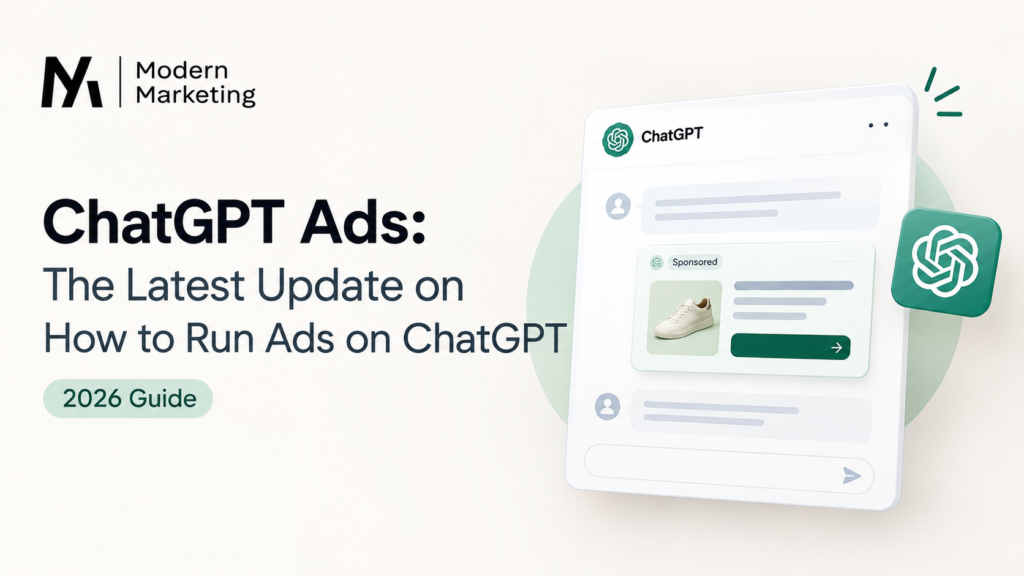
If you’ve been searching “how to run ads on ChatGPT,” you’re right on time. OpenAI has officially opened up ChatGPT Ads to businesses everywhere, and there’s a lot of new stuff to unpack – a self-serve ad manager, AI-powered campaign tools, and even a direct hookup with Shopify and HubSpot. At Modern Marketing, we’ve been testing and tracking this rollout closely, so here’s everything you need to know, explained in plain English.
What Are ChatGPT Ads?
Think of ChatGPT Ads like sponsored posts, but inside a conversation instead of a feed. They show up for people using the Free and Go versions of ChatGPT – usually while they’re actively researching, comparing, or trying to decide on something to buy.
The good news? OpenAI keeps these ads clearly labeled and separate from ChatGPT’s actual answers. So the ad doesn’t sneak its way into the advice ChatGPT gives you – it just sits alongside it.
One more thing worth knowing: if you’re on ChatGPT Plus, Pro, Business, Enterprise, or Education, you won’t see any ads at all. Ads are only shown to Free and Go users.
What’s New With ChatGPT Ads (Latest Update)
Here’s a simple breakdown of everything that’s changed recently:
1. It’s now available in way more countries
ChatGPT Ads started in the U.S., but it’s since expanded to the UK, Mexico, Brazil, Japan, South Korea, and 31 European countries – plus India, the Middle East, and North Africa. That’s over 40 countries now.
2. You don’t need an agency anymore
There’s now a self-serve Ads Manager. This means small businesses can set up their own campaigns without going through a middleman. It also comes with cost-per-click (CPC) bidding, so you only pay when someone actually clicks.
3. You can create ads just by typing what you want
This one’s pretty neat for beginners – there’s a new Ads Manager plugin that lets you build, edit, and check your campaigns just by typing plain instructions inside ChatGPT. No complicated dashboard to learn.
4. “Sponsored Agents” are being tested
Some brands in the U.S. are testing a new format where users can chat directly with a brand’s own AI assistant. It’s kept separate from your original conversation, so it’s clear you’ve stepped into a sponsored chat.
5. Shopify and HubSpot now connect directly
If you already sell on Shopify or manage leads in HubSpot, you can launch and track ChatGPT ad campaigns right from those tools – no need to jump between platforms.
6. Better targeting and reporting
Advertisers can now build bigger, more detailed audiences and get clearer reports on how individual products are performing inside ad carousels.
7. It’s a big deal financially, too
ChatGPT Ads has reportedly crossed $1 billion in yearly revenue. That tells you this isn’t a small test anymore – OpenAI is treating it as a real, permanent advertising channel.
How to Run Ads on ChatGPT (Step-by-Step for Beginners)
If this is your first time setting up ChatGPT Ads, here’s the simplest path:
-
- Sign up on OpenAI’s advertiser page to request access.
- Pick how you want to advertise – through an OpenAI partner, an agency, or the self-serve Ads Manager if it’s available in your country.
- Build your ad – you can upload your ad details in bulk, build them manually in Ads Manager, or just type what you want using the Ads Manager plugin.
- Connect your product feed if you’re selling products – this is required for your items to show up in shopping results.
- Set your budget and bidding – CPC bidding means you pay per click, and you can control how fast your budget gets spent.
- Check your results using the built-in measurement tools, so you know what’s actually working.
Quick Troubleshooting Tips
- Ads not showing up? Double-check your product feed is connected and approved – this is the most common issue for ecommerce brands.
- Not seeing self-serve access? It’s still rolling out region by region. If it’s not live in your country yet, you can work through an agency or partner in the meantime.
- Conversions not tracking properly? Make sure your Measurement Pixel or Conversions API is set up correctly – this is usually a setup, not a platform, issue.
Should You Actually Run Ads on ChatGPT?
Here’s our honest take at Modern Marketing: if you’re a performance-driven brand, this is a good time to test it. Early platforms usually mean less competition and lower costs — the same thing happened in the early days of Google and Facebook ads. Now that ChatGPT Ads has proper tracking, bidding, and integrations, it’s no longer just an experiment. It’s a real channel worth trying.
FAQ
Q: Can you run ads on ChatGPT now?
A: Yes. ChatGPT Ads is live in over 40 countries, and you can access it through OpenAI’s partners or the self-serve Ads Manager.
Q: How do I run ads on ChatGPT?
A: Sign up on OpenAI’s advertiser page, set up your campaign in Ads Manager (or just type your request into the Ads Manager plugin), connect a product feed if needed, and launch with CPC bidding.
Q: Who actually sees ads on ChatGPT?
A: Only people using the Free and Go plans. If you’re on Plus, Pro, Business, Enterprise, or Education, you won’t see any ads.
Q: Do ads change ChatGPT’s answers?
A: No. Ads are always labeled separately and don’t influence what ChatGPT tells you.
Q: Is ChatGPT Ads available outside the U.S.?
A: Yes – it’s now in the UK, Mexico, Brazil, Japan, South Korea, 31 European countries, India, and parts of the Middle East and North Africa.
Q: What’s the easiest way for a beginner to create a ChatGPT ad?
A: Use the Ads Manager plugin – you can create and manage your campaign just by typing plain-language instructions inside ChatGPT.
Details like pricing, eligibility, and country rollout can change often – always double-check the latest info on OpenAI’s official advertiser page before launching a campaign.
Posted Date: 24 Sept 2026
Posted by: Santoshi Parihar